
- For PC
- For MAC
- For Linux
- OS: Windows 10 (64 bit)
- Processor: Dual-Core 2.2 GHz
- Memory: 4GB
- Video Card: DirectX 11 level video card: AMD Radeon 77XX / NVIDIA GeForce GTX 660. The minimum supported resolution for the game is 720p.
- Network: Broadband Internet connection
- Hard Drive: 23.1 GB (Minimal client)
- OS: Windows 10/11 (64 bit)
- Processor: Intel Core i5 or Ryzen 5 3600 and better
- Memory: 16 GB and more
- Video Card: DirectX 11 level video card or higher and drivers: Nvidia GeForce 1060 and higher, Radeon RX 570 and higher
- Network: Broadband Internet connection
- Hard Drive: 75.9 GB (Full client)
- OS: Mac OS Big Sur 11.0 or newer
- Processor: Core i5, minimum 2.2GHz (Intel Xeon is not supported)
- Memory: 6 GB
- Video Card: Intel Iris Pro 5200 (Mac), or analog from AMD/Nvidia for Mac. Minimum supported resolution for the game is 720p with Metal support.
- Network: Broadband Internet connection
- Hard Drive: 22.1 GB (Minimal client)
- OS: Mac OS Big Sur 11.0 or newer
- Processor: Core i7 (Intel Xeon is not supported)
- Memory: 8 GB
- Video Card: Radeon Vega II or higher with Metal support.
- Network: Broadband Internet connection
- Hard Drive: 62.2 GB (Full client)
- OS: Most modern 64bit Linux distributions
- Processor: Dual-Core 2.4 GHz
- Memory: 4 GB
- Video Card: NVIDIA 660 with latest proprietary drivers (not older than 6 months) / similar AMD with latest proprietary drivers (not older than 6 months; the minimum supported resolution for the game is 720p) with Vulkan support.
- Network: Broadband Internet connection
- Hard Drive: 22.1 GB (Minimal client)
- OS: Ubuntu 20.04 64bit
- Processor: Intel Core i7
- Memory: 16 GB
- Video Card: NVIDIA 1060 with latest proprietary drivers (not older than 6 months) / similar AMD (Radeon RX 570) with latest proprietary drivers (not older than 6 months) with Vulkan support.
- Network: Broadband Internet connection
- Hard Drive: 62.2 GB (Full client)
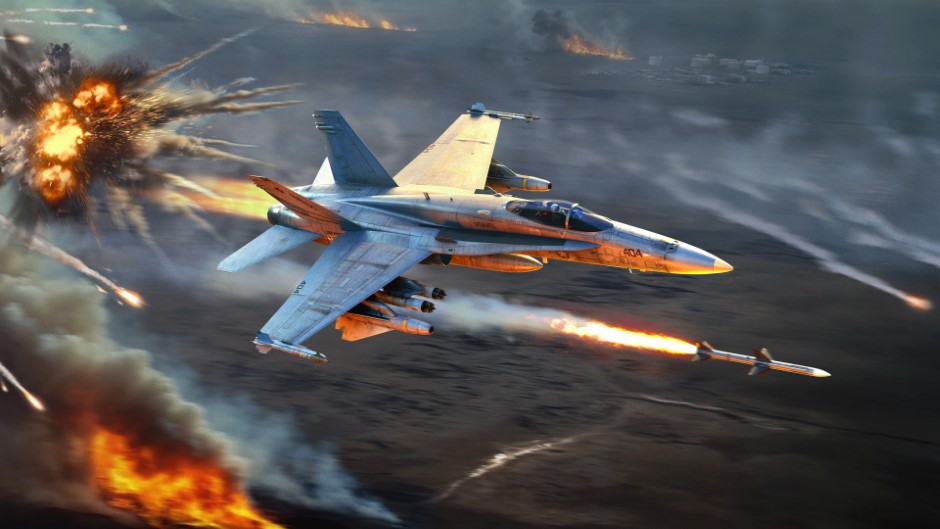
The Tusk Force major update is not complete without interface refinements! Today, we’d like to tell you about improvements made to aircraft radars, helping you to interact with them in a more visual and convenient way, regardless of whether you are already familiar with them or are just learning. Let’s start!
How it will work
Before the changes we’re talking about today, players had to use and remember a large number of key binds to use radars. To simplify this, part of the radar control logic will be accessible from the HUD, similar to how it was done for ground-based anti-aircraft vehicles when we added the Radar Control Screen.
The radar on the screen for aircraft in the Tusk Force major update will be interactive, making it possible to click it using the mouse cursor (when activating the “Show mouse cursor” button). You’ll be able to select targets on the radar by simply clicking on them, double-click to immediately capture the desired target, change the mode and range of the radar by clicking on the inscriptions, and when holding the mouse button down, move the radar’s scan area and/or acquisition cursor (with “Cyclic target switching” turned off).
In addition to this, separate buttons can be displayed around the radar screen, which can be used to activate many radar functions (changing mode, scale, etc) with the click of your mouse.
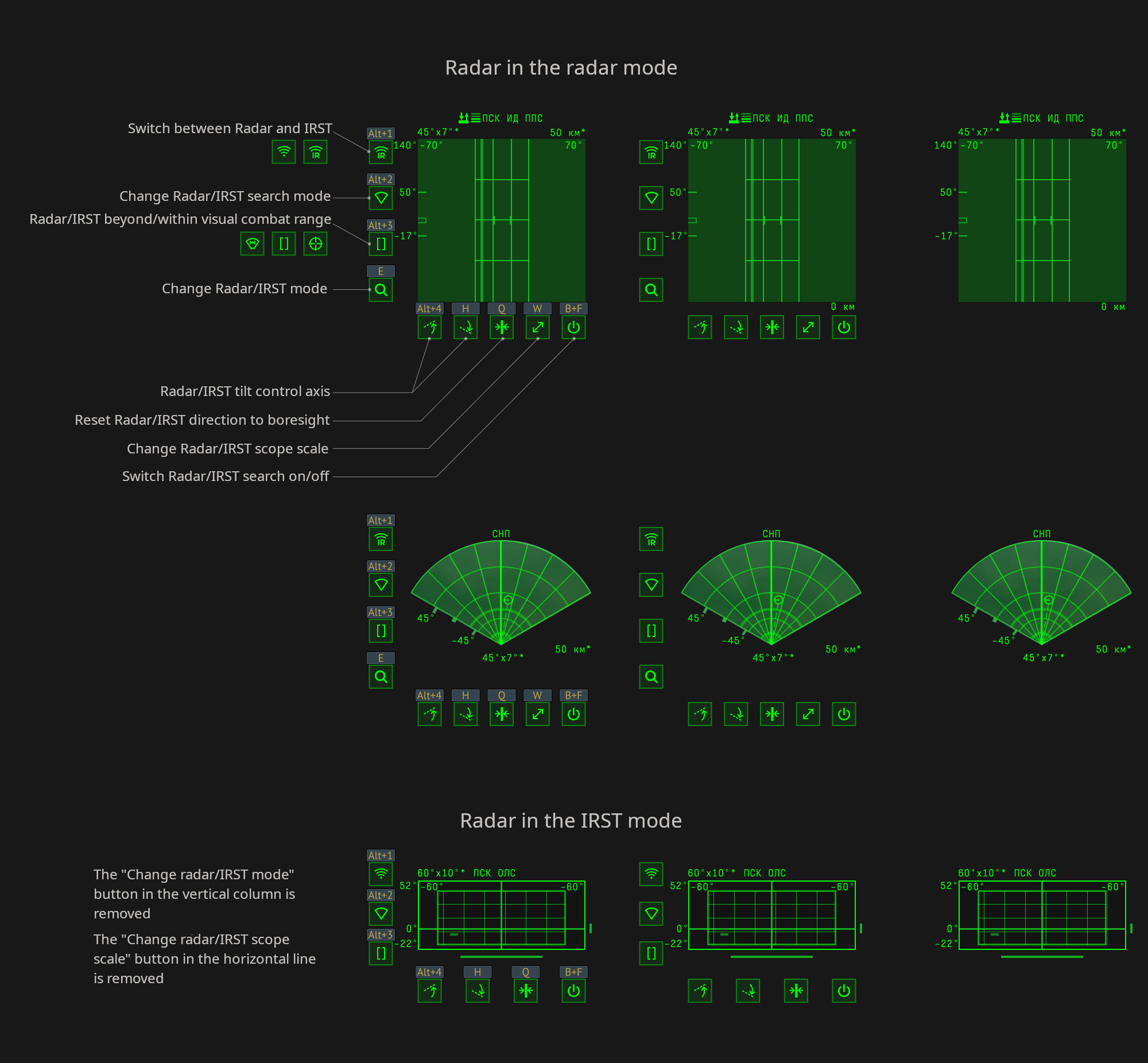
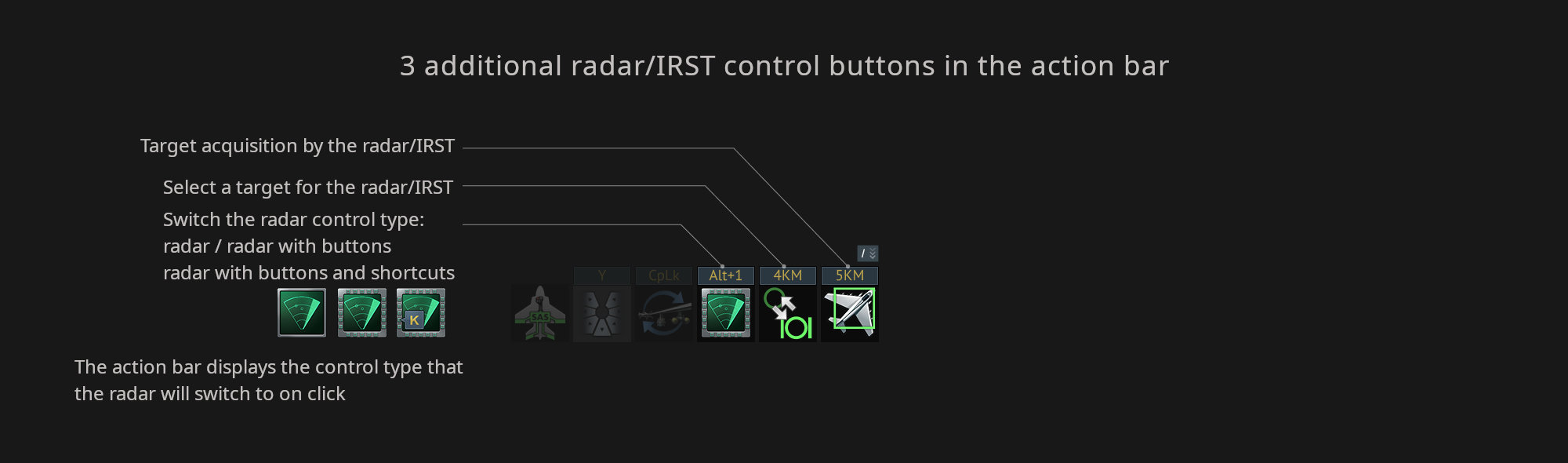
To enable these buttons around the radar, click “Switch the radar control type” in the action bar. Once enabled, and by default, the assigned keybinds will be displayed above the buttons that appear. When clicking the button on the action bar again it will hide the keybinds above the buttons, and then clicking it again will hide the buttons altogether.
There’s also two more actions in the action bar: “Lock Radar/IRST on target” and “Select Radar/IRST target to lock” (which only works when the “Cyclic target switching of aircraft radar” option is enabled in the settings).
These improvements are intended to allow newcomers to quickly master the complexity of how radars work, and for experienced players to use the radar to its maximum ability — and even free up a few keybinds.
That’s it for today, we have some more dev blogs still to come, so make sure to be on the look out for those!
Comments (18)
Comments will be premoderatedCould we get an option to toggle 'cyclic target switching' on and off during battle? It would work well with these changes.
O yea!
Pls make the action bar icons customizable, hide what icons we don't want and keep whichever we want.
Hello Mr John War Thunder, can you please add a scale button for the icons in the bottom of the screen and the new icons around the radar? it takes up so much screen space. I don't want to turn it off, yet I don't want them to be so large too.
Please please please add separate keybinds to choose radar modes directly !
Alright, that’s actually a cool update for once.
Newcomers using advanced radar - and at top tier?
The fact that you can click and lock the target you want is a insalny good change no more tom foolery with cycling switching !!! thx gajin !!!
That has been working forever, but it wasn't as simple as this. This will help a lot of people, I think.
This is superb news, but I'd also like the ability to scale each UI HUD element independently, and the ability to assign keys to zoom the Ground/Naval mini-tacmap in/out. Also, key bind modifiers like what we have in Enlisted (e.g. key activates on press, quick tap, double tap, hold, depress release, etc.) would be GREATLY appreciated as well as options to disable auto-level/roll and enable chase camera roll for both plane and helicopter mouse aim controls. Please, Gaijin? 🙏
What about for ground-based radar? Some radar SPAA could make use of this feature too.
You should add more ameican bombs you left out alot of them even americas earthquake bomb
Some secondaries (and even entire vehicles) are intentionally left out for gameplay reasons
Submit a complaint