
- For PC
- For MAC
- For Linux
- OS: Windows 10 (64 bit)
- Processor: Dual-Core 2.2 GHz
- Memory: 4GB
- Video Card: DirectX 11 level video card: AMD Radeon 77XX / NVIDIA GeForce GTX 660. The minimum supported resolution for the game is 720p.
- Network: Broadband Internet connection
- Hard Drive: 23.1 GB (Minimal client)
- OS: Windows 10/11 (64 bit)
- Processor: Intel Core i5 or Ryzen 5 3600 and better
- Memory: 16 GB and more
- Video Card: DirectX 11 level video card or higher and drivers: Nvidia GeForce 1060 and higher, Radeon RX 570 and higher
- Network: Broadband Internet connection
- Hard Drive: 75.9 GB (Full client)
- OS: Mac OS Big Sur 11.0 or newer
- Processor: Core i5, minimum 2.2GHz (Intel Xeon is not supported)
- Memory: 6 GB
- Video Card: Intel Iris Pro 5200 (Mac), or analog from AMD/Nvidia for Mac. Minimum supported resolution for the game is 720p with Metal support.
- Network: Broadband Internet connection
- Hard Drive: 22.1 GB (Minimal client)
- OS: Mac OS Big Sur 11.0 or newer
- Processor: Core i7 (Intel Xeon is not supported)
- Memory: 8 GB
- Video Card: Radeon Vega II or higher with Metal support.
- Network: Broadband Internet connection
- Hard Drive: 62.2 GB (Full client)
- OS: Most modern 64bit Linux distributions
- Processor: Dual-Core 2.4 GHz
- Memory: 4 GB
- Video Card: NVIDIA 660 with latest proprietary drivers (not older than 6 months) / similar AMD with latest proprietary drivers (not older than 6 months; the minimum supported resolution for the game is 720p) with Vulkan support.
- Network: Broadband Internet connection
- Hard Drive: 22.1 GB (Minimal client)
- OS: Ubuntu 20.04 64bit
- Processor: Intel Core i7
- Memory: 16 GB
- Video Card: NVIDIA 1060 with latest proprietary drivers (not older than 6 months) / similar AMD (Radeon RX 570) with latest proprietary drivers (not older than 6 months) with Vulkan support.
- Network: Broadband Internet connection
- Hard Drive: 62.2 GB (Full client)
Today we’re having a deeper look at War Thunder’s new renderer, covering light, shadows, and metal reflections.
Local Tone Mapping: Balancing Exposure
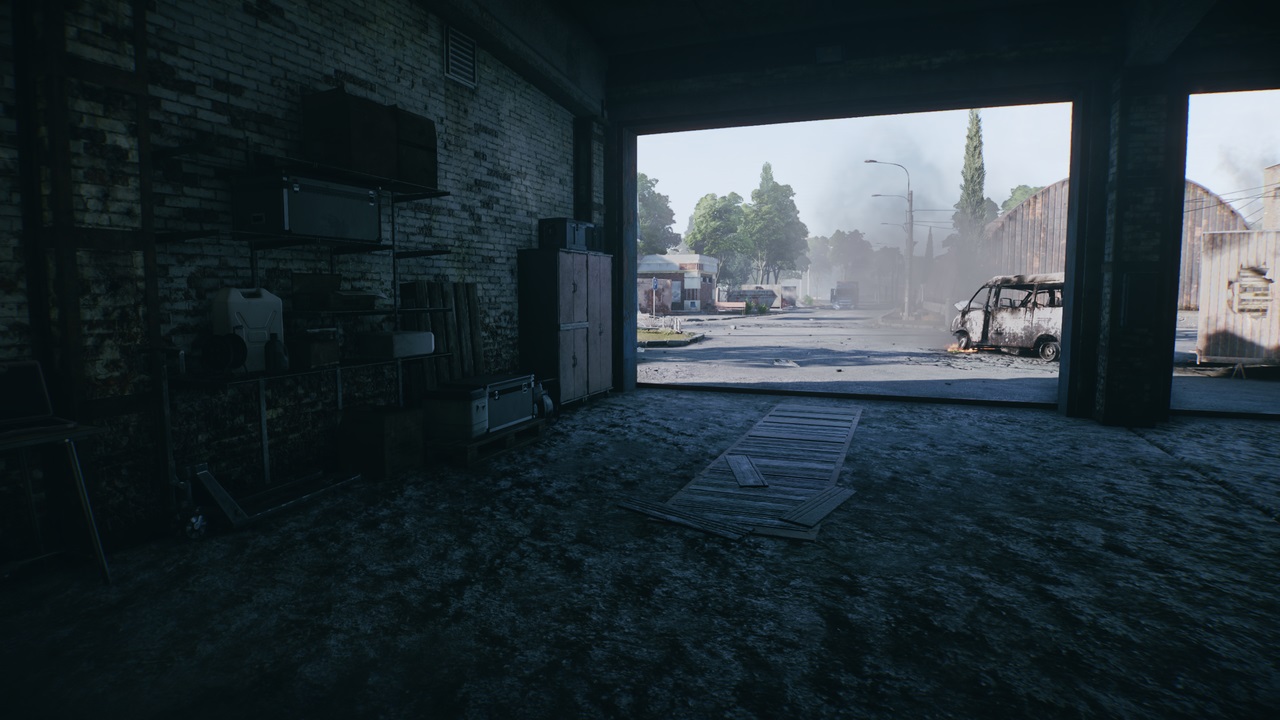
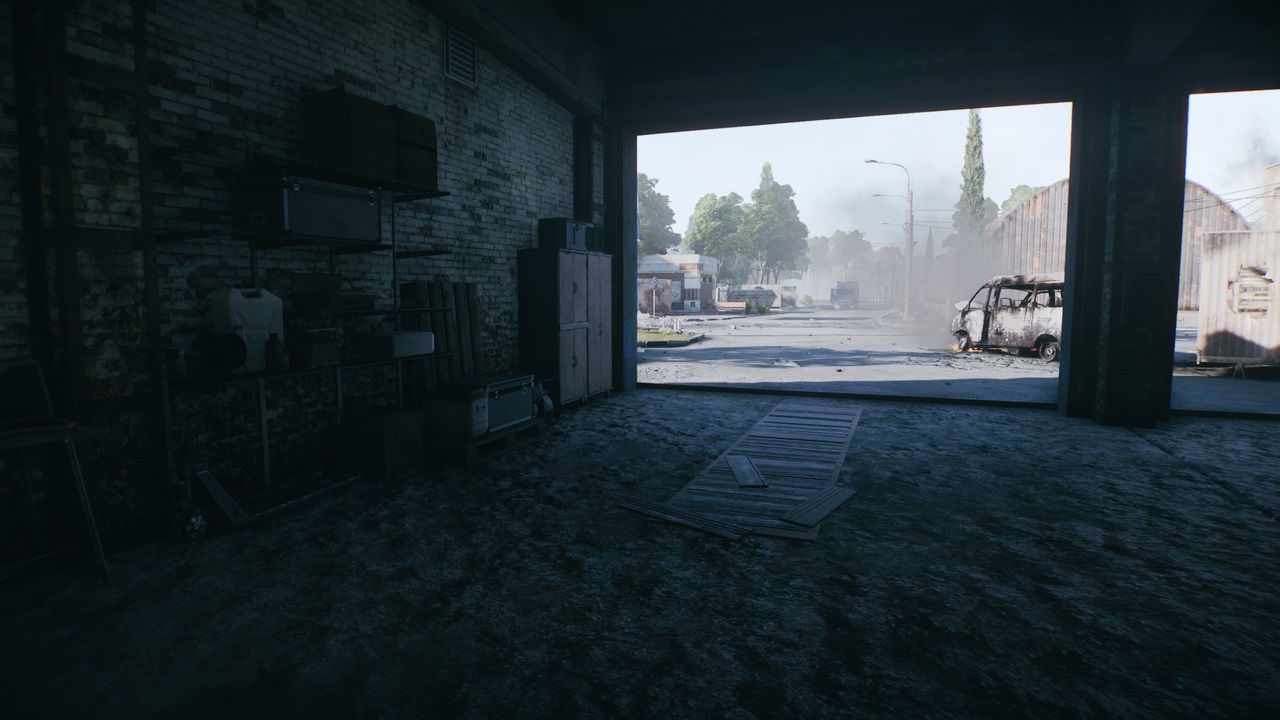
OLD | NEW
Previously, the game used a single exposure for the entire screen. Looking out from a dark hangar onto a sun lit airfield, or from the edge of a forest at the open sky, forced a choice: either the dark part crushed to black, or the bright part turned flat and white. Local tone mapping now measures the brightness of each region of the screen against the whole frame and gently lifts the regions that are much darker than average while calming the ones that are much brighter, with a touch of local contrast so nothing turns flat.
The change per region is held within one stop up or down, so the picture stays natural instead of looking like an HDR photo filter. The per-region brightness is tracked from frame to frame and follows the camera and moving objects, so turning your head or a vehicle driving across a bright area doesn’t make the exposure pop. Local tone mapping works with every anti-aliasing mode. On the Max and Movie quality presets, local tone mapping is on by default; for other presets, you need to enable it manually in the Render section of the graphics settings.
Sky Shadowing: Soft Shade Where the Sky Is Blocked
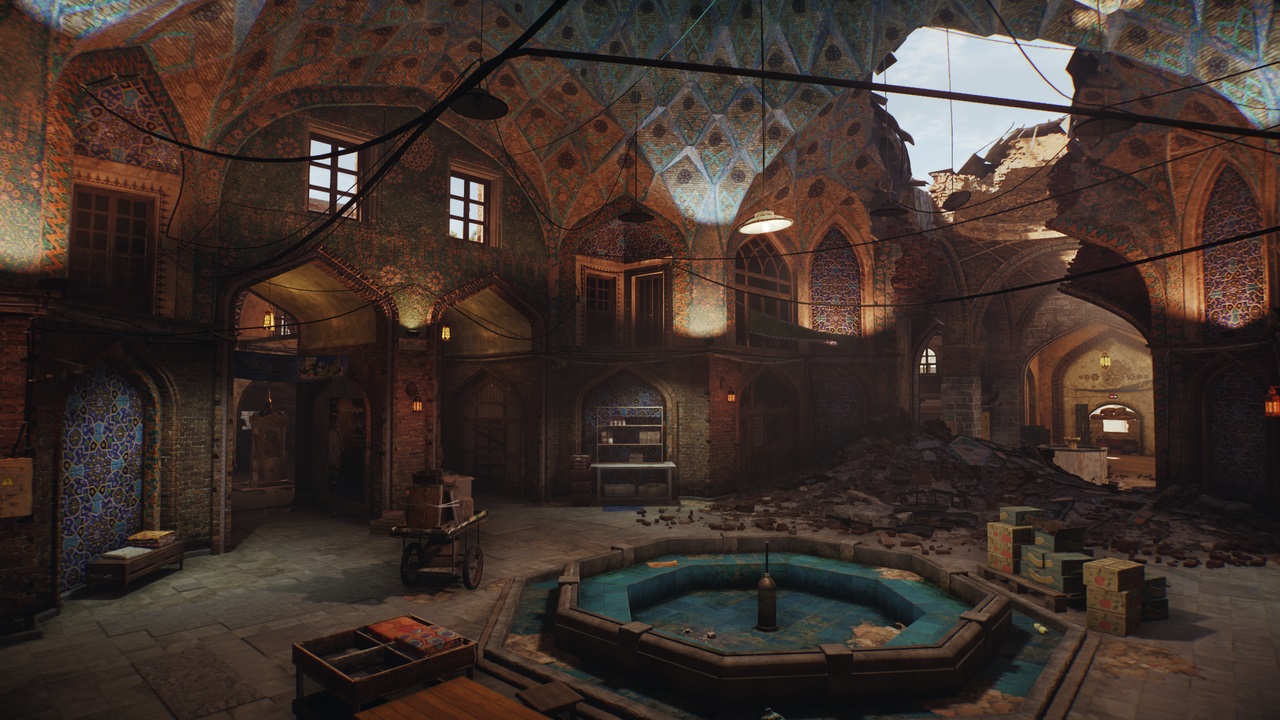
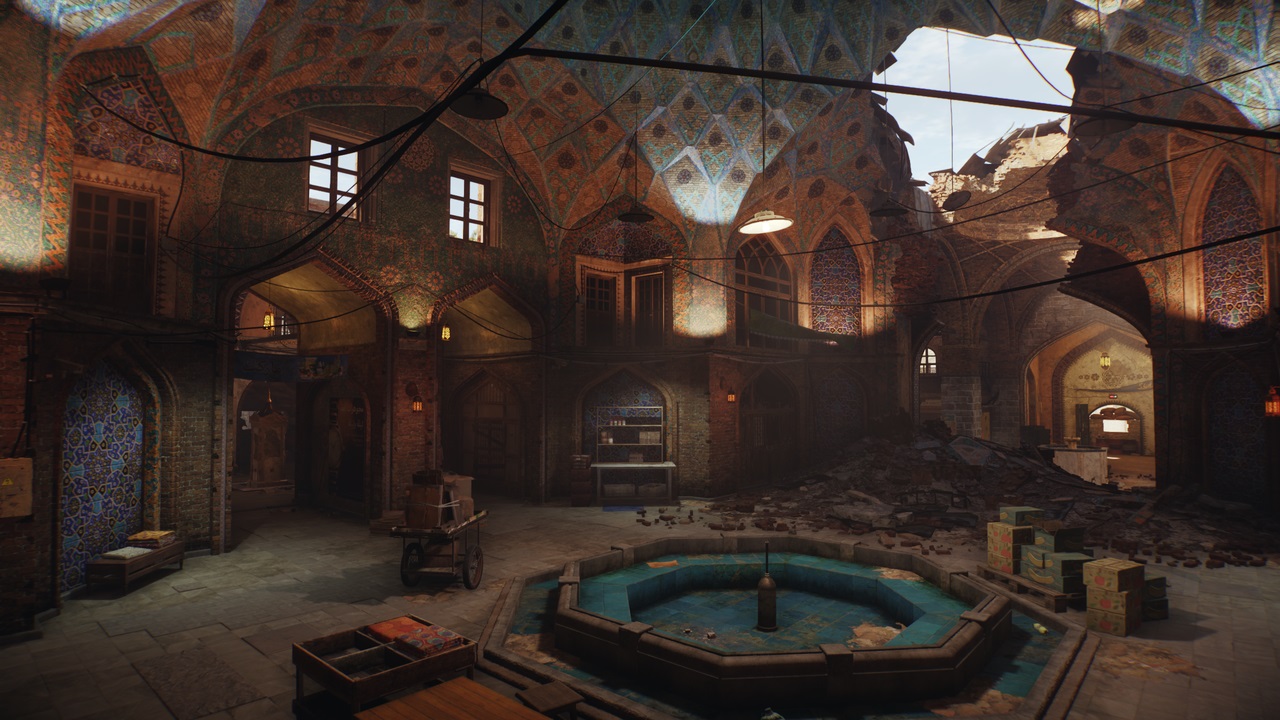
OLD | NEW
Ambient occlusion darkens the creases and corners where light has a hard time reaching, like under a vehicle, where a wall meets the ground, between sandbags. Previously, it assumed all surroundings were uniformly lit, meaning it didn’t account for the fact that under open sky most of the light comes from the upper hemisphere. The game now knows when an object is inside a building. Outdoors, the sky shade is at full strength; indoors it is a little softer. The interior of a room is now darker under the ceiling and lighter at the window, as it should be.
Retuned Display Curve
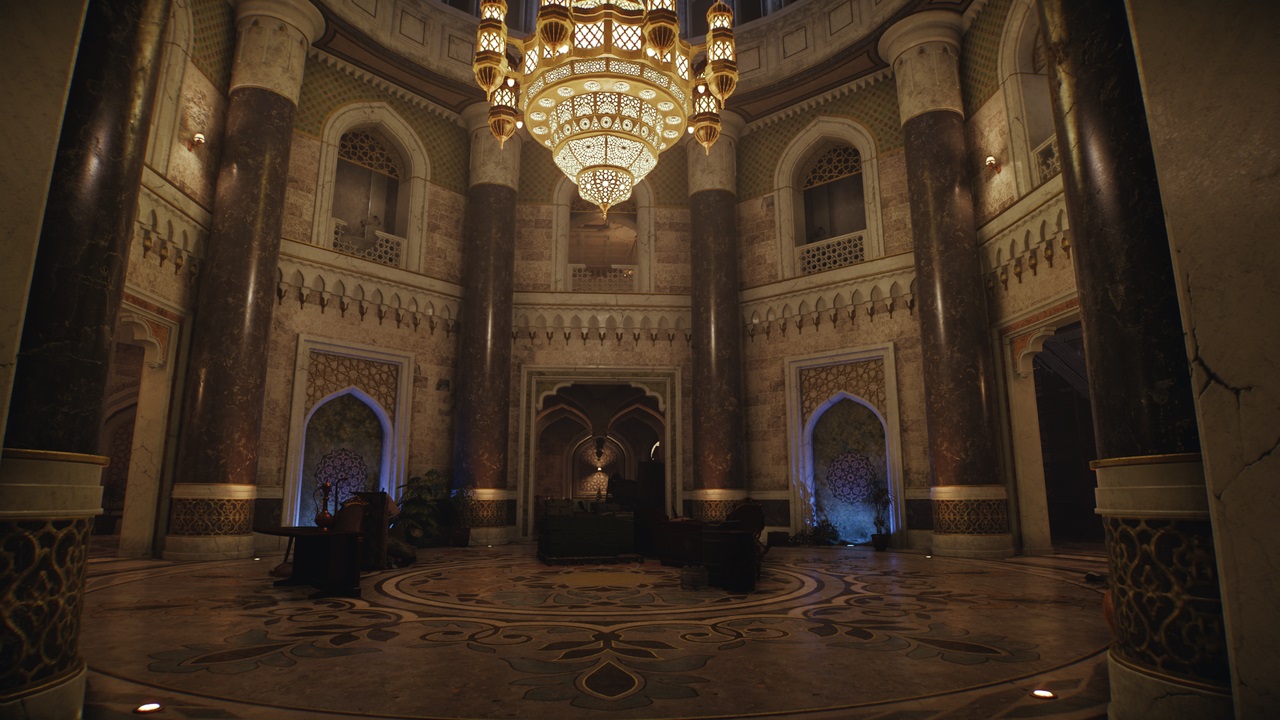
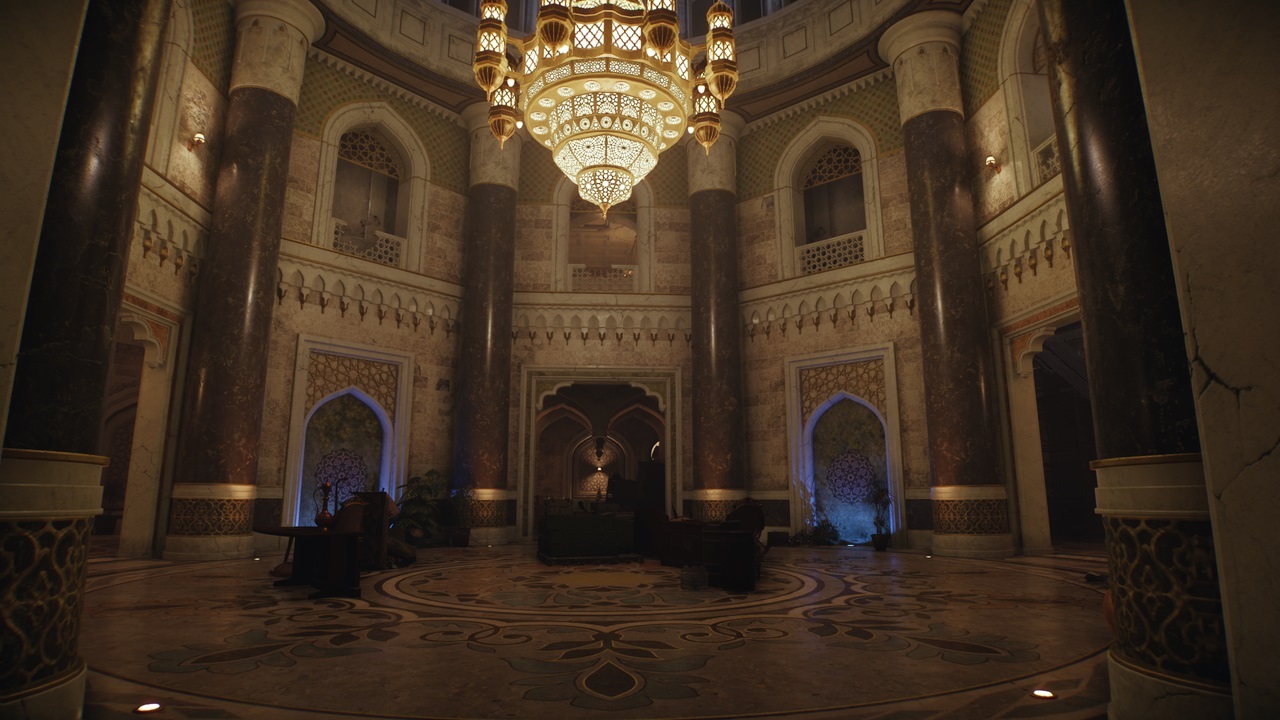
OLD | NEW
The final step that turns the rendered HDR image into screen colors now uses a more finely tuned brightness curve. The deepest shadows are lifted so the detail in them stays visible, the low mid tones a little, and the upper mid tones get a touch more contrast. Pure white stays pure white. This applies to every graphics preset and every platform in standard dynamic range. HDR output is unchanged. This setting costs no performance, shadows have got better for free in terms of system resources!
Truer Shine
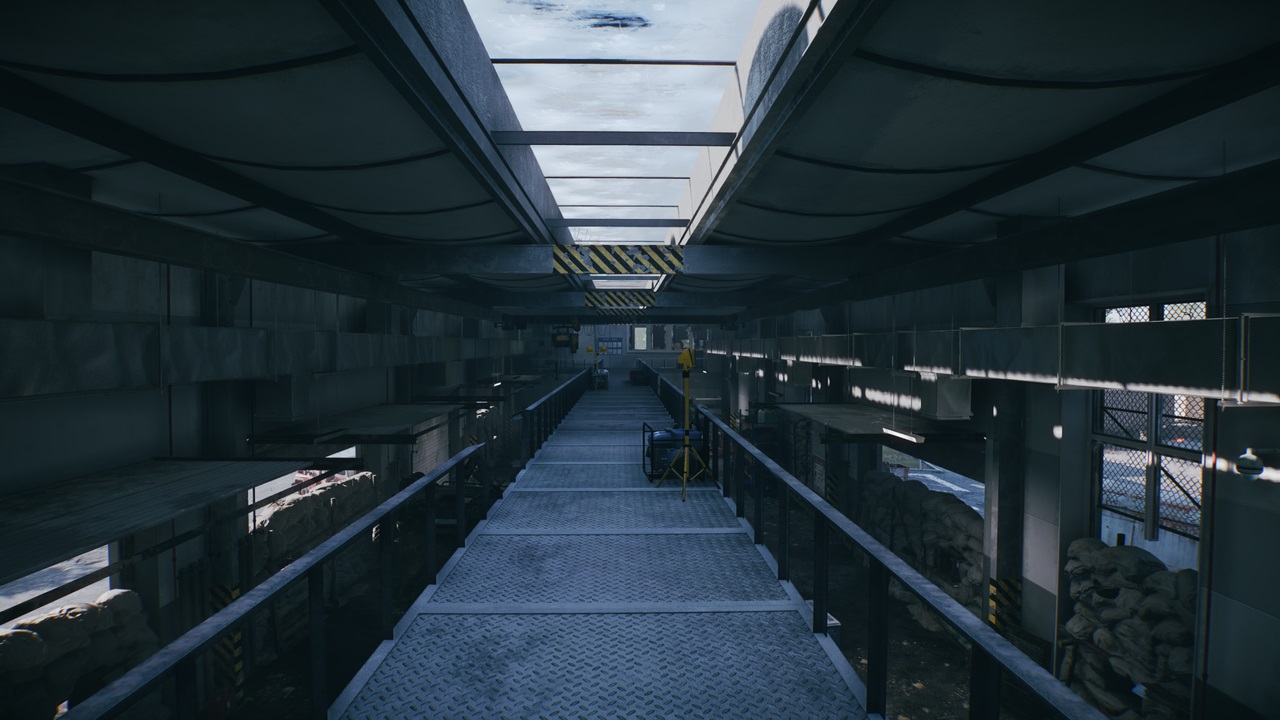
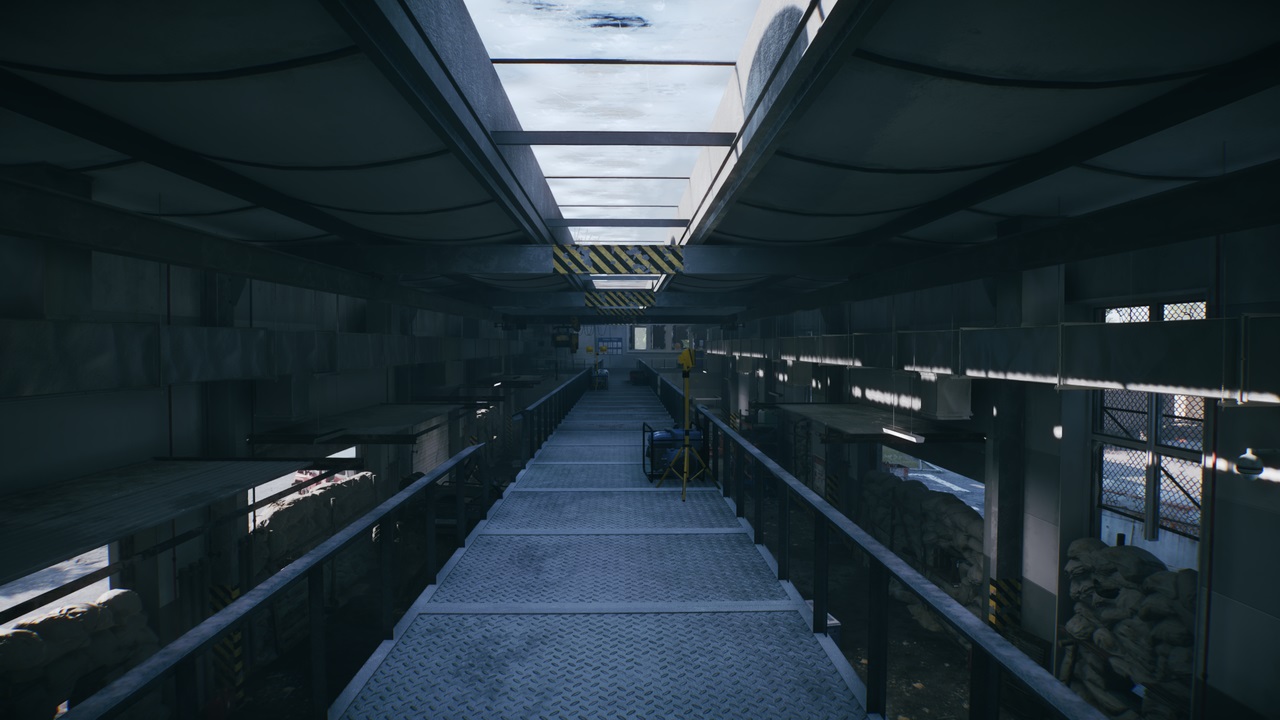
OLD | NEW
In the Eagle’s Shadow update, we slightly changed how surfaces reflect light. Our bidirectional reflectance distribution function (BRDF) didn’t account for multiple light bounces on rough surfaces at acute angles. Rough metal and scratched paint used to lose up to half of their reflected light, but they’ve now got it back! Rough metal, such as tank armor or aircraft skin, now looks brighter and more natural when seen at a low angle. Another fix addressed dark reflections on surfaces in the sun’s shadow. Floors and roads seen at a very low angle now reflect the sky and walls instead of themselves, so the dull patches in the distance are gone. Finally, we’ve taught reflections to work correctly on wet and snowy surfaces. All of the fixes come at virtually no cost to system resources. Truer shine indeed!
Comments (0)
Comments will be premoderatedSubmit a complaint