
- PC平台
- MAC平台
- Linux平台
- 操作系统:Windows 10 (64位)
- 处理器:双核 2.2 GHz
- 内存大小:4GB
- 图形处理器:DirectX 11 级别的显卡 - AMD Radeon 77XX / NVIDIA GeForce GTX 660 (游戏支持的解析度最低为720P)
- 网络:宽带网络连接
- 硬盘空间:23.1 GB (极简客户端)
- 操作系统:Windows 10 / 11 (64位)
- 处理器:英特尔 Core i5 或 Ryzen 5 3600 及以上
- 内存大小: 16 GB 或更高
- 图形处理器:DirectX 11 及以上级别的显卡 - Nvidia GeForce GTX1060 / AMD Radeon RX 570 同等级及更高
- 网络:宽带网络连接
- 硬盘空间: 75.9 GB (完整客户端)
- 操作系统:Mac OS Big Sur 11.0 或更新版本
- 处理器:Core i7,至少需要 2.2GHz (不支持Intel Xeon系列)
- 内存大小:6 GB
- 图形处理器: Intel Iris Pro 5200 (Mac) 或同等水平的 AMD / Nvidia显卡 (游戏支持的解析度最低为720P)
- 网络:宽带网络连接
- 硬盘空间: 22.1 GB (极简客户端)
- 操作系统:Mac OS Big Sur 11.0 或更新版本
- 处理器:Core i7 (不支持Intel Xeon系列)
- 内存大小:8 GB
- 图形处理器:Radeon Vega II或更高,需要支持Metal
- 网络:宽带网络连接
- 硬盘空间:62.2 GB (完整客户端)
- 操作系统:大部分现代 64 位 Linux 系统发行版
- 处理器:双核 2.4 GHz
- 内存大小:4 GB
- 图形处理器:NVIDIA GTX 660 及最新显卡驱动 (至少为半年以内的版本) 或同等水平的 AMD 显卡及最新的显卡驱动 (至少为半年以内的版本)。游戏支持的解析度最低为720P。显卡需要支持Vulkan API
- 网络:宽带网络连接
- 硬盘空间: 22.1 GB (极简客户端)
- 操作系统:Ubuntu 20.04 64位
- 处理器:Intel Core i7
- 内存大小: 16 GB
- 图形处理器:NVIDIA GTX 1060 与最新显卡驱动 (至少为半年以内的版本) 或同等水平的 AMD 显卡 (如 Radeon RX 570) 及最新的显卡驱动 (至少为半年以内的版本)。
- 网络:宽带网络连接
- 硬盘空间:62.2 GB (完整客户端)
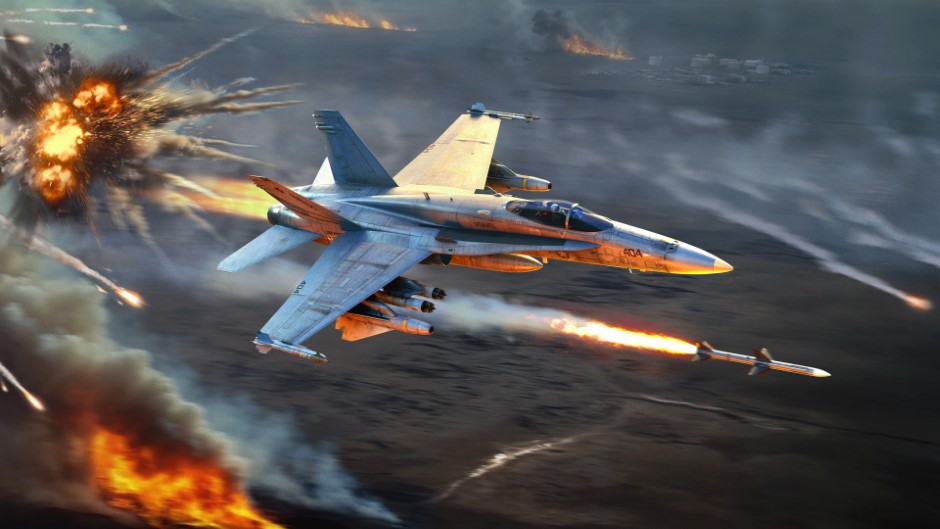
The Tusk Force major update is not complete without interface refinements! Today, we’d like to tell you about improvements made to aircraft radars, helping you to interact with them in a more visual and convenient way, regardless of whether you are already familiar with them or are just learning. Let’s start!
How it will work
Before the changes we’re talking about today, players had to use and remember a large number of key binds to use radars. To simplify this, part of the radar control logic will be accessible from the HUD, similar to how it was done for ground-based anti-aircraft vehicles when we added the Radar Control Screen.
The radar on the screen for aircraft in the Tusk Force major update will be interactive, making it possible to click it using the mouse cursor (when activating the “Show mouse cursor” button). You’ll be able to select targets on the radar by simply clicking on them, double-click to immediately capture the desired target, change the mode and range of the radar by clicking on the inscriptions, and when holding the mouse button down, move the radar’s scan area and/or acquisition cursor (with “Cyclic target switching” turned off).
In addition to this, separate buttons can be displayed around the radar screen, which can be used to activate many radar functions (changing mode, scale, etc) with the click of your mouse.
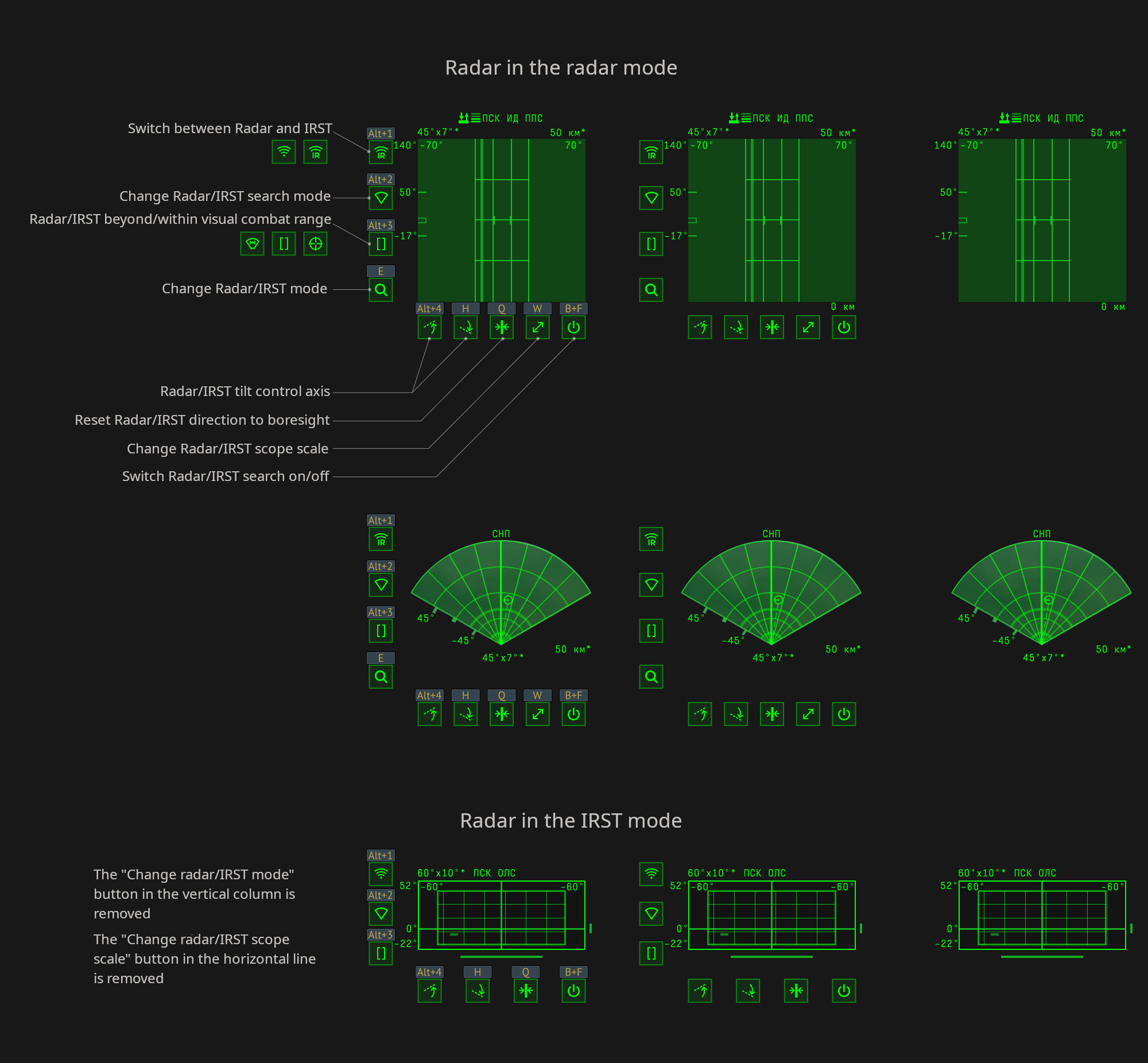
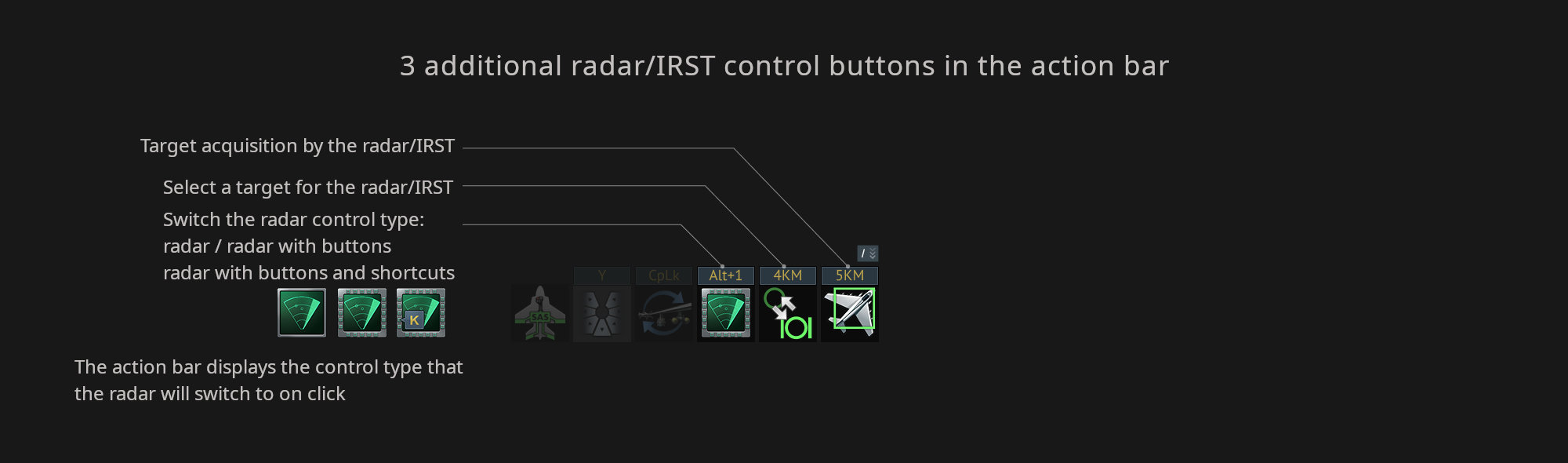
To enable these buttons around the radar, click “Switch the radar control type” in the action bar. Once enabled, and by default, the assigned keybinds will be displayed above the buttons that appear. When clicking the button on the action bar again it will hide the keybinds above the buttons, and then clicking it again will hide the buttons altogether.
There’s also two more actions in the action bar: “Lock Radar/IRST on target” and “Select Radar/IRST target to lock” (which only works when the “Cyclic target switching of aircraft radar” option is enabled in the settings).
These improvements are intended to allow newcomers to quickly master the complexity of how radars work, and for experienced players to use the radar to its maximum ability — and even free up a few keybinds.
That’s it for today, we have some more dev blogs still to come, so make sure to be on the look out for those!
评论 (0)
评论将处于预审核状态提交举报