
- PC平台
- MAC平台
- Linux平台
- 操作系统:Windows 10 (64位)
- 处理器:双核 2.2 GHz
- 内存大小:4GB
- 图形处理器:DirectX 11 级别的显卡 - AMD Radeon 77XX / NVIDIA GeForce GTX 660 (游戏支持的解析度最低为720P)
- 网络:宽带网络连接
- 硬盘空间:23.1 GB (极简客户端)
- 操作系统:Windows 10 / 11 (64位)
- 处理器:英特尔 Core i5 或 Ryzen 5 3600 及以上
- 内存大小: 16 GB 或更高
- 图形处理器:DirectX 11 及以上级别的显卡 - Nvidia GeForce GTX1060 / AMD Radeon RX 570 同等级及更高
- 网络:宽带网络连接
- 硬盘空间: 75.9 GB (完整客户端)
- 操作系统:Mac OS Big Sur 11.0 或更新版本
- 处理器:Core i7,至少需要 2.2GHz (不支持Intel Xeon系列)
- 内存大小:6 GB
- 图形处理器: Intel Iris Pro 5200 (Mac) 或同等水平的 AMD / Nvidia显卡 (游戏支持的解析度最低为720P)
- 网络:宽带网络连接
- 硬盘空间: 22.1 GB (极简客户端)
- 操作系统:Mac OS Big Sur 11.0 或更新版本
- 处理器:Core i7 (不支持Intel Xeon系列)
- 内存大小:8 GB
- 图形处理器:Radeon Vega II或更高,需要支持Metal
- 网络:宽带网络连接
- 硬盘空间:62.2 GB (完整客户端)
- 操作系统:大部分现代 64 位 Linux 系统发行版
- 处理器:双核 2.4 GHz
- 内存大小:4 GB
- 图形处理器:NVIDIA GTX 660 及最新显卡驱动 (至少为半年以内的版本) 或同等水平的 AMD 显卡及最新的显卡驱动 (至少为半年以内的版本)。游戏支持的解析度最低为720P。显卡需要支持Vulkan API
- 网络:宽带网络连接
- 硬盘空间: 22.1 GB (极简客户端)
- 操作系统:Ubuntu 20.04 64位
- 处理器:Intel Core i7
- 内存大小: 16 GB
- 图形处理器:NVIDIA GTX 1060 与最新显卡驱动 (至少为半年以内的版本) 或同等水平的 AMD 显卡 (如 Radeon RX 570) 及最新的显卡驱动 (至少为半年以内的版本)。
- 网络:宽带网络连接
- 硬盘空间:62.2 GB (完整客户端)
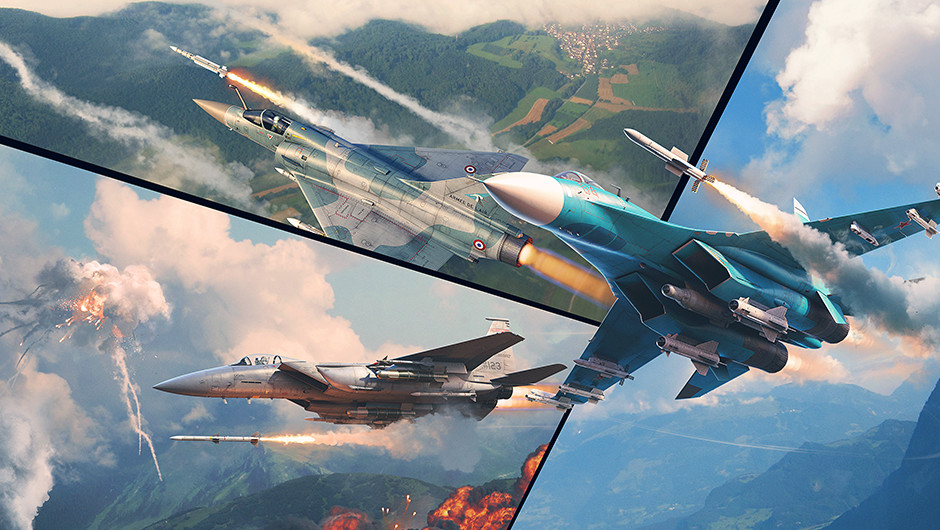
Today we’re continuing our coverage of the new features coming in the upcoming major update, this time focusing on aircraft weapons!
Comparison of missiles
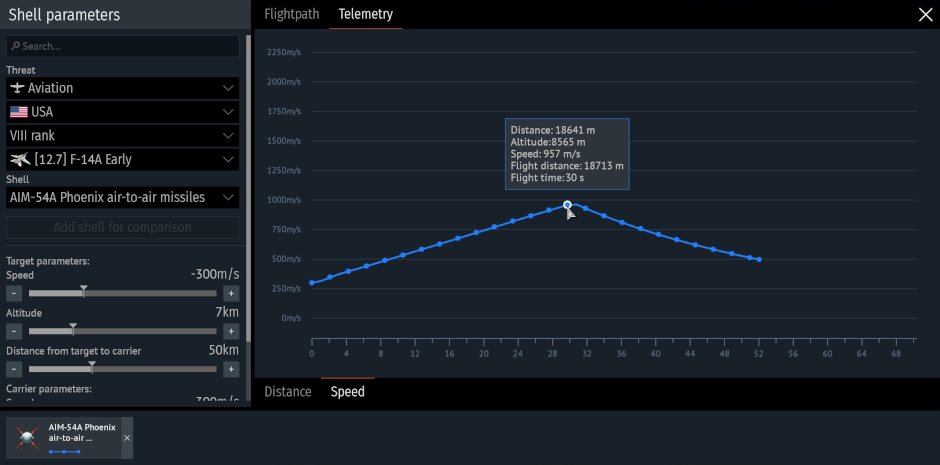
Recently, we added a ballistic comparison interface and armor penetration curves at different ranges to the Protection Analysis tab in the hangar for all shells and bullets in the game. In the upcoming major update, we’ll be introducing a comparison feature for guided weapons: air-to-air missiles and guided bombs!
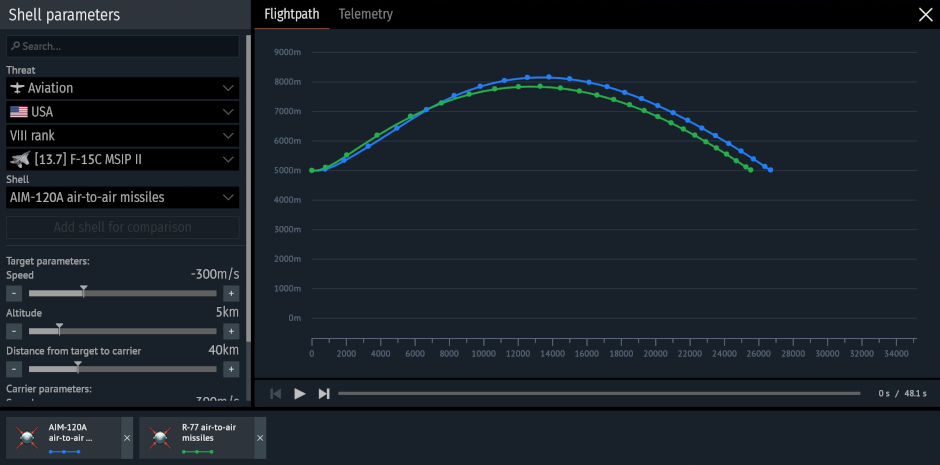
The missile parameter comparison interface is designed as a single window. On the left side is a settings section where you can set the initial launch conditions, which are consistent across all calculations: the altitude and speed of the launch vehicle and the target, as well as the distance at launch. In this section, you can also select guided missiles for comparison, and add or remove munitions from the aircraft and helicopter armament lists to compare the parameters of all missiles on a single screen.
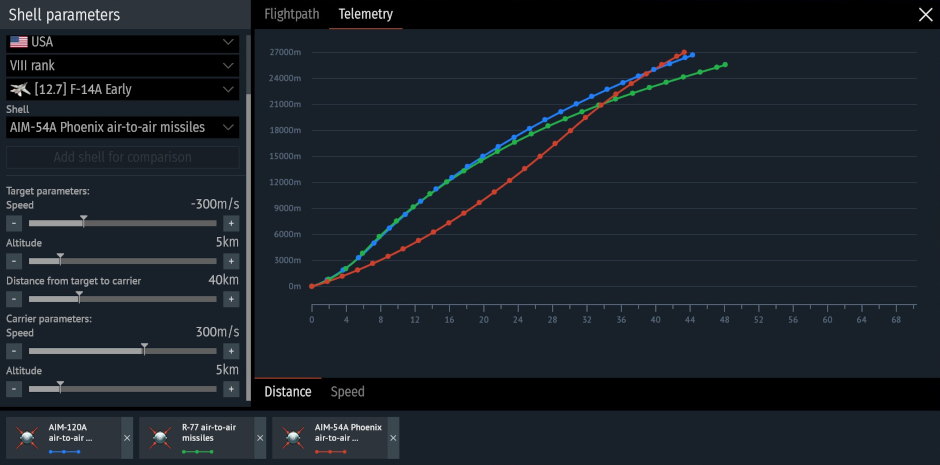
The central part of the window is occupied by a multi-layer trajectory graph, displaying curves for each selected munition in the “Trajectory” (change in the altitude and distance) and “Telemetry” (distance-time and speed-time curves) tabs. The graph dynamically changes as input data changes. This will allow you to see the missile’s characteristics at each point, including altitude, distance traveled, distance to target, and flight time, as well as observe changes in speed. Air combat in a single graph!
You can find the missile comparison interface by clicking the new button in the missile stat card in the Secondary weapons menu in the hangar.
More information on the minimap
In the previous major update, we added a minimap tracking feature for launched aircraft ordnance in air battles. After launching guided and unguided missiles, dropping bombs or other munitions, you could see their indicators on the minimap (default key: M), and you could also navigate to the selected ordnance in flight to track it closely (default key: U). Now, left-clicking on a projectile’s indicator will also display its name and current velocity!

评论 (0)
评论将处于预审核状态提交举报