
- Para PC
- Para MAC
- Para Linux
- SO: Windows 10 (64 bits)
- Procesador: Doble núcleo 2,2 GHz
- Memoria: 4 GB
- Tarjeta de Video: Tarjeta de vídeo de nivel DirectX 11: AMD Radeon 77XX / NVIDIA GeForce GTX 660. La resolución mínima admitida para el juego es 720p.
- Red: Conexión a Internet de banda ancha
- Disco Duro: 23.1 GB (Cliente Mínimo)
- SO: Windows 10/11 (64 bits)
- Procesador: Intel Core i5 o Ryzen 5 3600 y superior
- Memoria: 16 GB y superior
- Tarjeta de Video: Tarjeta de vídeo de nivel DirectX 11 o superior y controladores: Nvidia GeForce 1060 y superior, Radeon RX 570 y superior
- Red: Conexión a Internet de banda ancha
- Disco Duro: 75.9 GB (Cliente Completo)
- SO: Mac OS Big Sur 11.0 o posterior
- Procesador: Core i5, mínimo 2,2 GHz (Intel Xeon no es compatible)
- Memoria: 6 GB
- Tarjeta de Vídeo: Intel Iris Pro 5200 (Mac), o análoga de AMD/Nvidia para Mac. La resolución mínima admitida para el juego es 720p con soporte Metal.
- Red: Conexión a Internet de banda ancha
- Disco Duro: 22.1 GB (Cliente Mínimo)
- SO: Mac OS Big Sur 11.0 o posterior
- Procesador: Core i7 (Intel Xeon no es compatible)
- Memoria: 8 GB
- Tarjeta de Vídeo: Radeon Vega II o superior compatible con Metal.
- Red: Conexión a Internet de banda ancha
- Disco Duro: 62.2 GB (Cliente Completo)
- SO: La mayoría de las distribuciones Linux modernas de 64 bits
- Procesador: Doble núcleo 2.4 GHz
- Memoria: 4 GB
- Tarjeta de Vídeo: NVIDIA 660 con los últimos controladores propios (no más de 6 meses) / AMD similar con los últimos controladores propios (no más de 6 meses; la resolución mínima admitida para el juego es 720p) con soporte Vulkan.
- Red: Conexión a Internet de banda ancha
- Disco Duro: 22.1 GB (Cliente Mínimo)
- SO: Ubuntu 20.04 64 bits
- Procesador: Intel Core i7
- Memoria: 16 GB
- Tarjeta de Vídeo: NVIDIA 1060 con los últimos controladores propietarios (no más de 6 meses) / AMD similar (Radeon RX 570) con los últimos controladores propietarios (no más de 6 meses) con soporte Vulkan.
- Red: Conexión a Internet de banda ancha
- Disco Duro: 62.2 GB (Cliente Completo)
You can control many things through your smartphone, even your War Thunder account! The official Assistant for War Thunder mobile app for iOS and Android allows you to keep track of your battle progress and performance.
Additionally you can control your inventory, manage your squadron, use vehicle info cards and even turn your smartphone or tablet screen into a monitor for a tactical battle map!
Download Assistant for War Thunder on Google Play or the App Store.
In the meantime we will tell you about some of the more interesting features.
Your profile
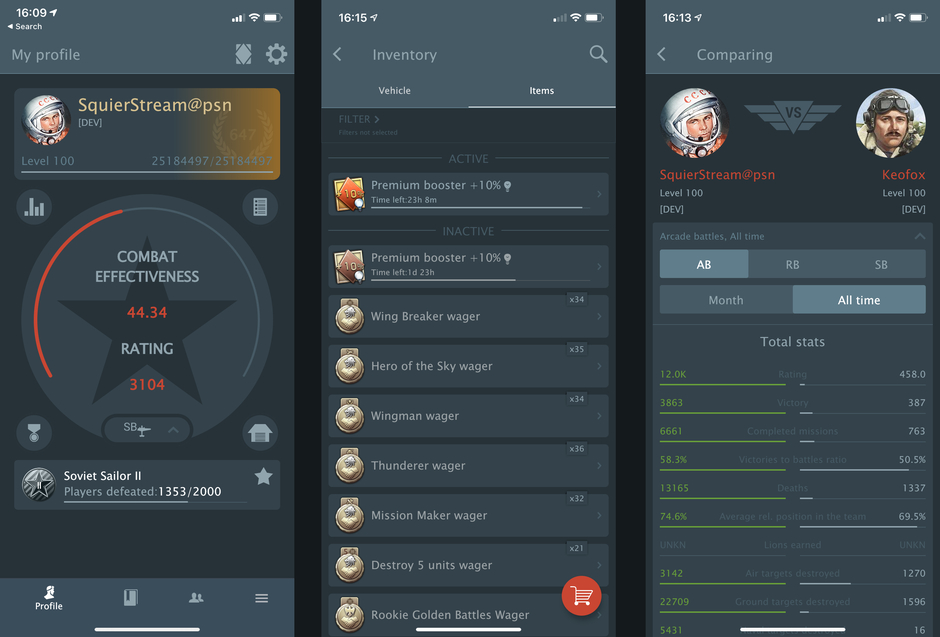
For those who have something to strive for, In this menu you can not only monitor your battle progress but also set goals - add a task to your favorites and monitor the progress of its completion.
The Inventory section displays a list of all your boosters and wagers and marks those that are about to expire.
You can also compare your progress with players who are in your friends list in War Thunder or with your squadron mates!
Vehicle comparison
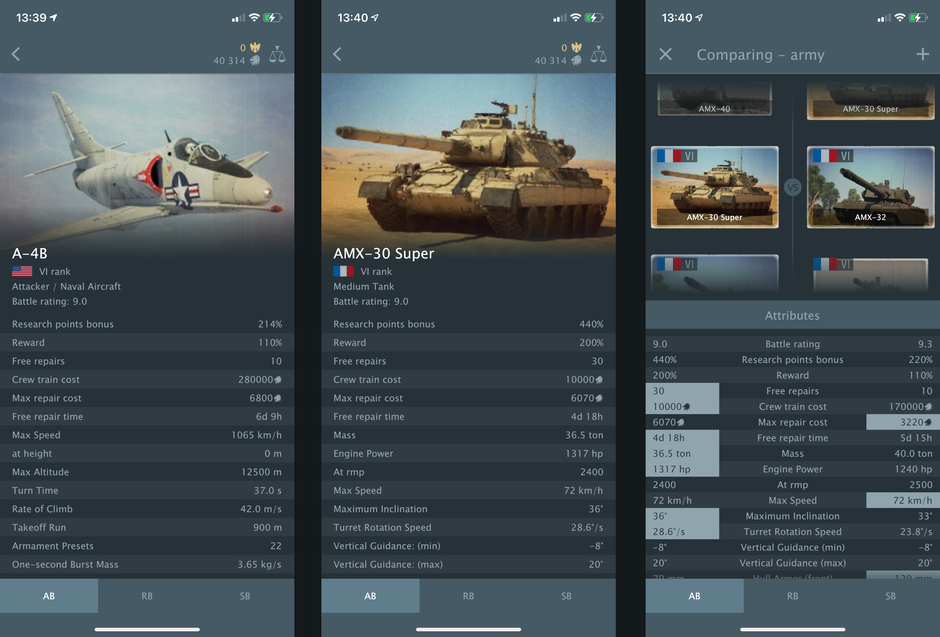
All aircraft, ground vehicles, helicopters and naval vessels at your fingertips! A card showing the main performance characteristics can come in handy even in a battle if you suddenly forget what the enemy you encounter is capable of.
And if you want to select the next vehicle to be researched, there is a feature to compare several vehicles at once.
Tactical map

Useful for everyone! This feature will literally display the mini map of the battlefield on the screen of your smartphone or tablet. You just need to connect your device and PC to the same Wi-Fi network and make a simple configuration by following the instructions in the app.
Store items and vehicles
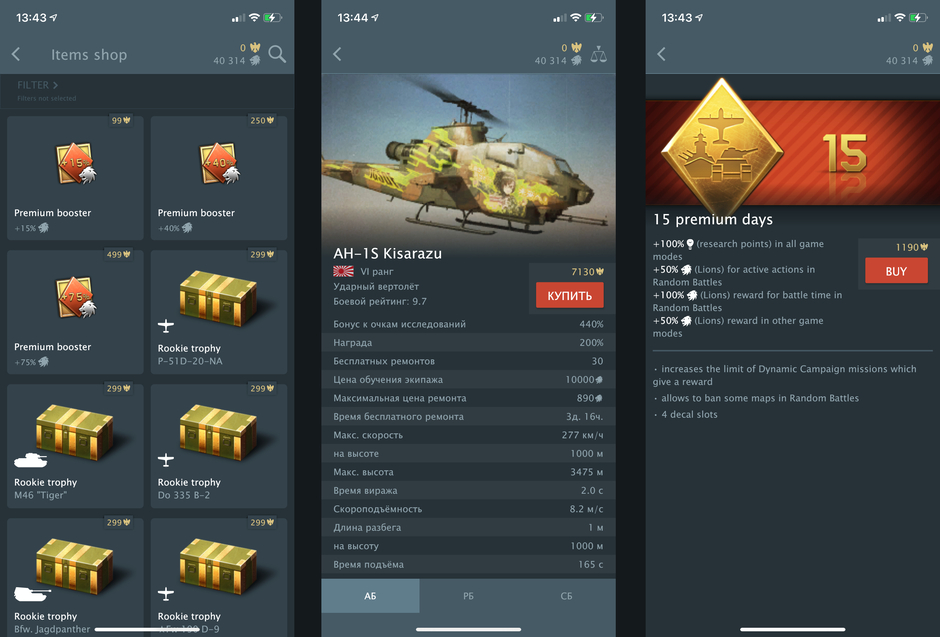
This is the War Thunder item store on your phone. It can be very useful if an interesting vehicle is on sale for a limited time or has a temporary discount, and you find yourself, for example, on the other side of the world.
The assortment includes not only vehicles, but also various boosters, wagers, orders, trophies and premium accounts! The store is available in the Inventory menu.
Your squadron
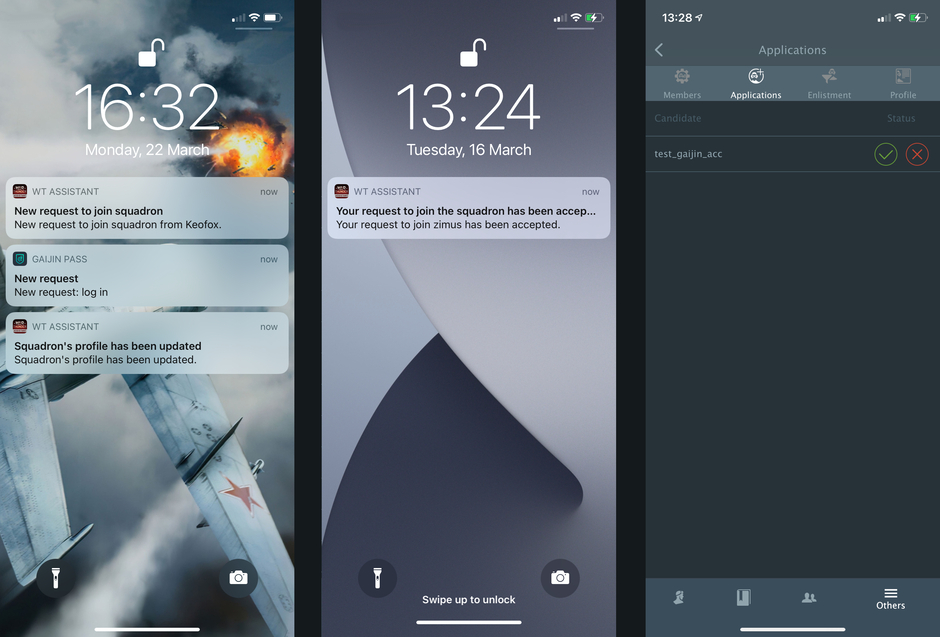
Track the status of applications and players in your squadron, or manage the squadron from the app if you are a commander. You can edit the rights of players, accept applications and remove players from the squadron.
Push notifications on smartphones will be especially useful for commanders, where you can learn in real time about the activity of the squadron. Changing rank of the members, hiring and firing warriors, approving applications and much more!

Comentarios (0)
Enviar una queja