
- Для PC
- Для Mac
- Для Linux
- ОС: Windows 10 (64 bit)
- Процессор: Dual-Core 2.2 GHz
- Оперативная память: 4 ГБ
- Видеокарта с поддержкой DirectX версии 11: AMD Radeon 77XX / NVIDIA GeForce GTX 660. Минимальное поддерживаемое разрешение – 720p.
- Сеть: Широкополосное подключение к Интернету
- Место на жестком диске: 23.1 Гб
- ОС: Windows 10/11 (64bit)
- Процессор: Intel Core i5 или Ryzen 5 3600 и выше
- Оперативная память: 16 ГБ
- Видеокарта с поддержкой DirectX 11 и выше: Nvidia GeForce 1060 и выше, Radeon RX 570 и выше
- Сеть: Широкополосное подключение к Интернету
- Место на жестком диске: 75.9 Гб
- Операционная система: Mac OS Big Sur 11.0
- Процессор: Core i5, минимум 2.2GHz (Intel Xeon не поддерживается)
- Оперативная память: 6 Гб
- Видеокарта: Intel Iris Pro 5200 (Mac) или аналогичная видеокарта AMD/Nvidia для Mac (минимальное поддерживаемое разрешение – 720p) с поддержкой Metal
- Место на жестком диске: 23.1 Гб
- Операционная система: Mac OS Big Sur 11.0
- Процессор: Intel Core i7 (Intel Xeon не поддерживается)
- Оперативная память: 8 Гб
- Видеокарта: Radeon Vega II и выше с поддержкой Metal
- Место на жестком диске: 75.9 Гб
- Операционная система: Современные дистрибутивы Linux 64bit
- Процессор: Dual-Core 2.4 ГГц
- Оперативная память: 4 Гб
- Видеокарта: NVIDIA GeForce 660 со свежими проприетарными драйверами (не старее 6 месяцев) / соответствующая серия AMD Radeon со свежими проприетарными драйверами (не старее 6 месяцев, минимальное поддерживаемое разрешение - 720p) с поддержкой Vulkan
- Место на жестком диске: 23.1 Гб
- Операционная система: Ubuntu 20.04 64bit
- Процессор: Intel Core i7
- Оперативная память: 16 Гб
- Видеокарта: NVIDIA GeForce 1060 со свежими проприетарными драйверами (не старее 6 месяцев) / Radeon RX 570 со свежими проприетарными драйверами (не старее 6 месяцев) с поддержкой Vulkan
- Место на жестком диске: 75.9 Гб
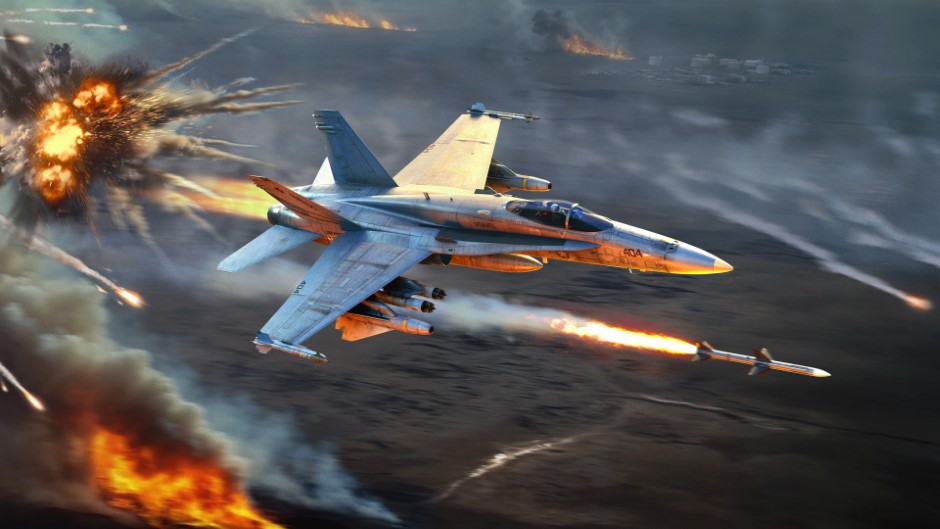
The Tusk Force major update is not complete without interface refinements! Today, we’d like to tell you about improvements made to aircraft radars, helping you to interact with them in a more visual and convenient way, regardless of whether you are already familiar with them or are just learning. Let’s start!
How it will work
Before the changes we’re talking about today, players had to use and remember a large number of key binds to use radars. To simplify this, part of the radar control logic will be accessible from the HUD, similar to how it was done for ground-based anti-aircraft vehicles when we added the Radar Control Screen.
The radar on the screen for aircraft in the Tusk Force major update will be interactive, making it possible to click it using the mouse cursor (when activating the “Show mouse cursor” button). You’ll be able to select targets on the radar by simply clicking on them, double-click to immediately capture the desired target, change the mode and range of the radar by clicking on the inscriptions, and when holding the mouse button down, move the radar’s scan area and/or acquisition cursor (with “Cyclic target switching” turned off).
In addition to this, separate buttons can be displayed around the radar screen, which can be used to activate many radar functions (changing mode, scale, etc) with the click of your mouse.
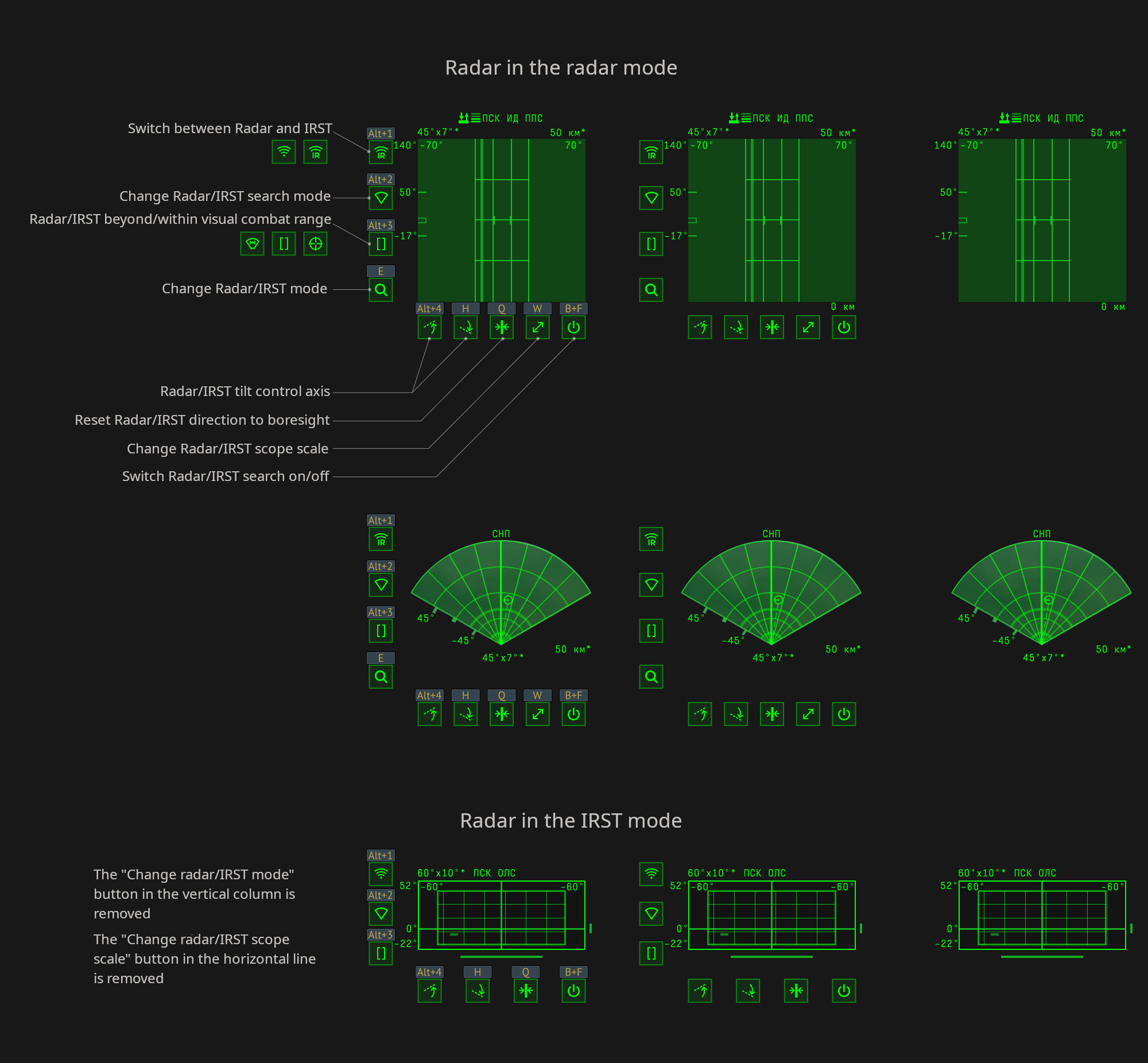
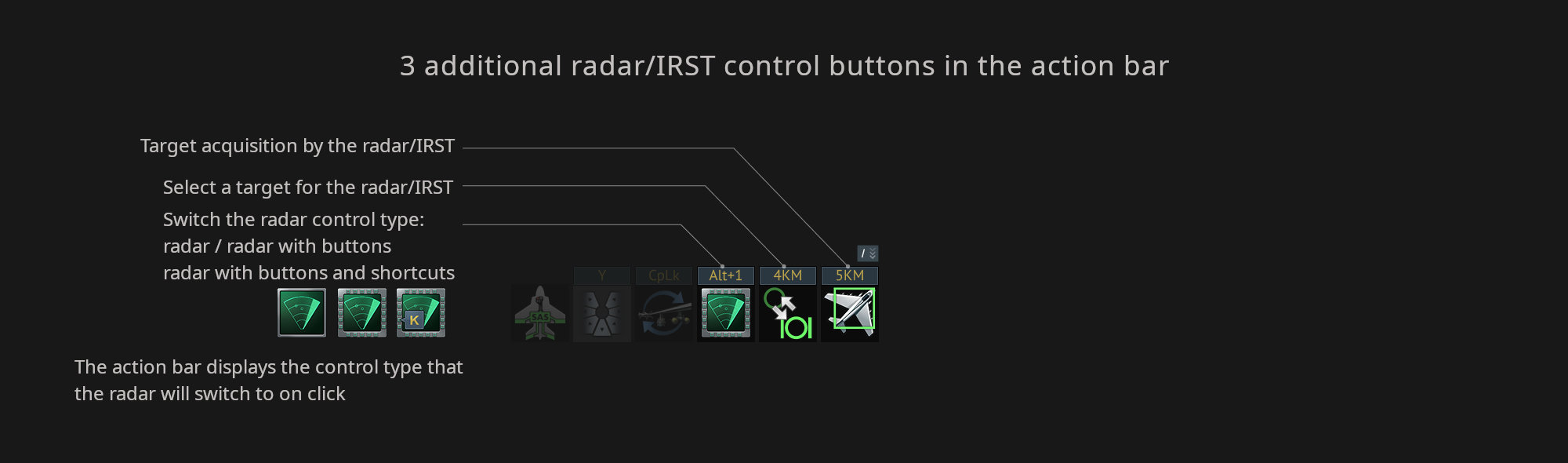
To enable these buttons around the radar, click “Switch the radar control type” in the action bar. Once enabled, and by default, the assigned keybinds will be displayed above the buttons that appear. When clicking the button on the action bar again it will hide the keybinds above the buttons, and then clicking it again will hide the buttons altogether.
There’s also two more actions in the action bar: “Lock Radar/IRST on target” and “Select Radar/IRST target to lock” (which only works when the “Cyclic target switching of aircraft radar” option is enabled in the settings).
These improvements are intended to allow newcomers to quickly master the complexity of how radars work, and for experienced players to use the radar to its maximum ability — and even free up a few keybinds.
That’s it for today, we have some more dev blogs still to come, so make sure to be on the look out for those!
Комментарии (0)
Комментарии проходят премодерациюОтправить жалобу