
- Pour PC
- Pour MAC
- Pour Linux
- OS: Windows 10 (64 bit)
- Processeur: Dual-Core 2.2 GHz
- Mémoire: 4 GB
- Carte graphique supportant DirectX 11: AMD Radeon 77XX / NVIDIA GeForce GTX 660. La résolution minimale supportée par le jeu est de 720p
- Connection: Connexion Internet à haut débit
- Disque dur: 23.1 Go (client minimal)
- OS: Windows 10/11 (64 bit)
- Processeur: Intel Core i5 ou Ryzen5 3600 et plus
- Mémoire: 16 GB et plus
- Carte graphique supportant DirectX 11 ou plus et drivers: Nvidia GeForce 1060 et plus, Radeon RX 570 et plus.
- Connection: Connexion Internet à haut débit
- Disque dur: 75.9 Go (client complet)
- OS: Mac OS Big Sur 11.0 ou plus récent
- Processeur: Core i5, minimum 2.2GHz (Les processeurs Intel Xeon ne sont pas supportés)
- Mémoire: 6 GB
- Carte graphique: Intel Iris Pro 5200 (Mac), ou analogue AMD/Nvidia. La résolution minimale supportée par le jeu est de 720p.
- Connection: Connexion Internet à haut débit
- Disque dur: 62,2 Go (client minimal)
- OS: Mac OS Big Sur 11.0 ou plus récent
- Processeur: Core i7 (Les processeurs Intel Xeon ne sont pas supportés)
- Mémoire: 8 GB
- Carte graphique: Radeon Vega II ou plus avec support de Metal
- Connection: Connexion Internet à haut débit
- Disque dur: 62,2 Go (client complet)
- OS: Les configurations Linux 64 bits les plus modernes
- Processeur: Dual-Core 2.4 GHz
- Mémoire: 4 GB
- Carte graphique: NVIDIA 660 avec les derniers drivers (moins de 6 mois) / de même pour AMD (La résolution minimale supportée par le jeu est de 720p)
- Connection: Connexion Internet à haut débit
- Disque dur: 62,2 Go (client minimal)
- OS: Ubuntu 20.04 64bit
- Processeur: Intel Core i7
- Mémoire: 8 GB
- Carte graphique: NVIDIA 1060 avec les derniers drivers (moins de 6 mois) / de même pour AMD (Radeon RX 570) avec les derniers drivers de moins de 6 mois et supportant Vulkan
- Connection: Connexion Internet à haut débit
- Disque dur: 60,2 Go (client complet)
— What are Twitch Drops?
— These are game rewards for stream viewers on Twitch.
— Can I get anything in War Thunder?
— Yes! The longer you are watching War Thunder stream on marked "Twitch Drops" channels, the more rewards you will get.
— Awesome! What do I need to do to be able to get the rewards?
— You need to link Gaijin and Twitch accounts:
- Sign up or enter your Twitch account details on the website.
- Enter the information from your Gaijin account you are playing War Thunder with on this page and click the “Link” button.
ATTENTION! If you are playing on PlayStation, Xbox or via Steam, click on the appropriate icon below without entering any data into the blank fields!
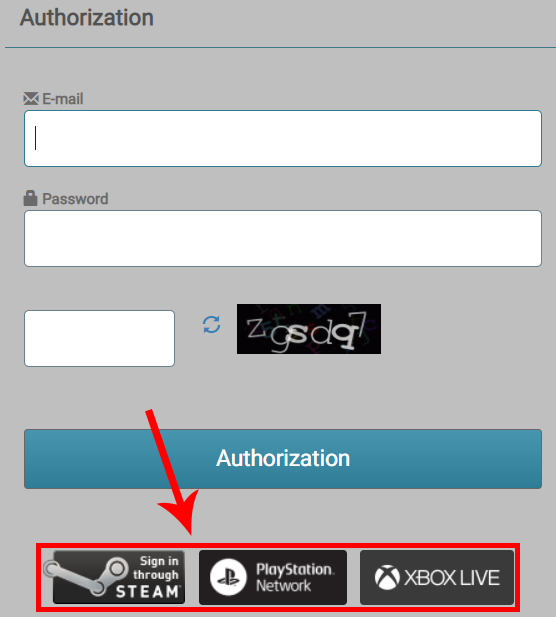
- Press the “Allow” button!
— What broadcasts do I need to watch to be able to earn rewards?
— Watch War Thunder streams marked “Drops enabled!”.
— How do I know that I have received a reward?
— You will receive a reward message on the Twitch broadcast page. Once you see it, you will need to click on the “Get” button. You can also do this in your Drops inventory.
ATTENTION! You can only earn rewards during the Twitch Drop campaigns!
— Which platforms are rewards available for?
— Rewards are available for everyone who plays War Thunder on PC, PlayStation 4, PlayStation 5, Xbox One and Xbox Series.